
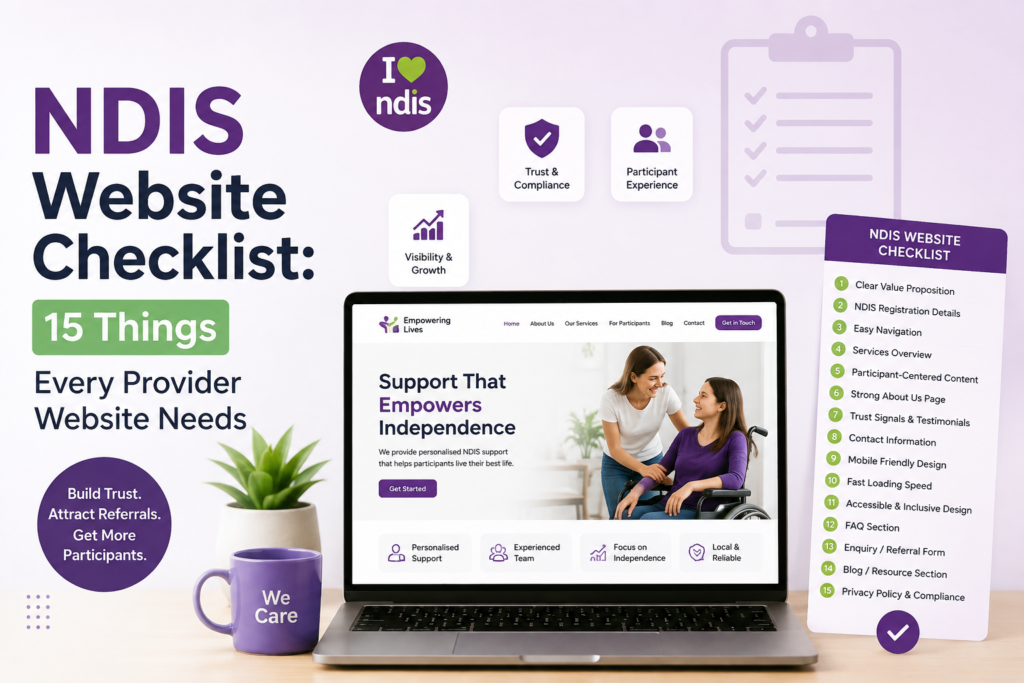
NDIS Website Checklist: 15 Things Every Provider Website Needs
NDIS Marketing · Website Strategy
NDIS Website Checklist: 15 Things Every Provider Website Needs
We've audited dozens of NDIS provider websites. The pattern is almost always the same: a provider delivering genuinely good care, with solid registration and qualified staff, whose website is actively working against them. Invisible on Google. Skipped by support coordinators in seconds. Missing basic compliance signals that auditors and families both look for. This checklist covers all 15 things your website needs — not as a design exercise, but as a lead generation and compliance tool.
The NDIS market has never been more competitive. As of March 2026, the scheme supports over 761,000 active participants through more than 21,700 registered providers — and the scheme itself is worth $46.3 billion annually. Meanwhile, over 80% of participant enquiries now begin with a Google search. Families and support coordinators are comparing multiple providers in one sitting, on their phones, often in under five minutes. Your website is the first real impression most of them will ever have of your organisation — and most NDIS provider websites fail to make it count.
The 15 items below sit across four categories: compliance signals (what the NDIS Commission and auditors check), trust signals (what participants, families, and support coordinators need to feel confident enough to reach out), SEO (what Google needs to rank you when participants search), and conversion (what turns a visitor into an actual enquiry). Go through every item. Most providers fail at least six.
Compliance Signals
What the NDIS Commission, auditors, and support coordinators check before anything else
The NDIS Quality and Safeguards Commission operates under a continuous monitoring model in 2026 — meaning they can review your website at any time, not just at audit. Getting any of these wrong is simultaneously a compliance risk and a trust problem. Most of them take less than an hour to fix.
Your NDIS Registration Number Is Visible on Every Page
This is the single most common gap we see. Its absence doesn't just create a compliance flag — it loses referrals. Support coordinators managing dozens of participants across multiple providers will see a missing registration number and move to the next option on their list. It signals that you're either unregistered or not paying attention to how you present to the sector.
Where it should be: your footer on every page and your About or Contact page. Display it clearly, not buried in a paragraph of text. Some providers add it to their homepage hero section as a trust badge — we'd recommend this if your target audience includes a lot of support coordinators, because it answers their first question before they have to ask.
Registration number buried in a 300-word About page paragraph, or missing entirely from the site
"NDIS Registered Provider · Registration No. 4-XXXXXXX · Verified with the NDIS Quality and Safeguards Commission"
ABN Displayed and Legal Entity Name Matches Your Registration
Your ABN should sit in the footer on every page alongside your registered legal entity name. This is a transparency signal for auditors and a basic legitimacy check that participants and families perform without realising it. The thing to verify carefully: the trading name on your website needs to be clearly connected to your registered legal entity name. We regularly see providers operating under a trading name that differs from their registered entity with no explanation bridging the two — which creates unnecessary doubt for anyone doing due diligence.
An Online Complaints and Feedback Pathway That's Easy to Find
Most providers have a complaints process that exists somewhere — a PDF form, a phone number, a vague paragraph. None of that meets the accessibility expectations of the NDIS Practice Standards. An online form, clearly labelled as a complaints and feedback pathway, easy to find and easy to use, is now the baseline.
What it should look like in practice: a dedicated page (e.g. /feedback or /complaints) linked clearly from your footer navigation and your Contact page. Families and participants who can see you have an accessible complaints process actually trust you more — it signals that you're not afraid of accountability, which is one of the most powerful things you can communicate in this sector.
A Current Privacy Policy That Reflects Your Actual Data Practices
Most NDIS provider websites have a privacy policy. Most of them were generated at registration and haven't been updated since. If you've added contact forms, integrated any CRM or case management software, or changed how you handle participant records — your privacy policy needs to reflect that. Auditors check this. Support coordinators doing thorough due diligence on providers for complex participants check this. A generic template from 2021 is both a compliance risk and a silent trust erosion.
Quick self-audit: does your privacy policy mention the specific contact forms on your website, any CRM or booking software you use, and how participant information is stored and protected? If it doesn't, it needs updating before your next audit period.
Trust Signals
What participants, families, and support coordinators need to see before they'll pick up the phone
Trust is the currency of the NDIS sector. Participants and families are choosing who supports some of the most vulnerable people in their lives. Support coordinators are putting their professional reputation on the line every time they make a referral. Your website is often the first and most detailed source of information they have about your organisation before any direct contact — which means these signals need to be there, visible, and genuine.
Real Team Photos and Profiles With Actual Qualifications
Stock photos on an NDIS website are the fastest way to signal that you don't take trust seriously. Participants and families choosing who enters their home or works with their child want to see the actual people who will be doing that work. Real photos, real names, real qualifications, real reasons why your team chose disability support work — these build the kind of trust that no amount of polished design can replicate.
For senior staff — Directors, Support Coordination leads, Clinical team members — include specific qualifications, years of experience, and relevant training. A parent choosing a provider for a child with complex support needs will read this section carefully. Many providers skip it entirely and lose enquiries to a competitor whose team page made the family feel like they already knew who they were dealing with.
Stock photo of a smiling generic professional, captioned "Our Team" with no names, no qualifications, no real information
"Sarah — Support Coordination Lead. Certificate IV in Disability, 9 years working with participants with complex psychosocial needs across Western Sydney."
Genuine Participant and Family Testimonials — Not Generic Quotes
Not "John S. — great provider." Actual testimonials from real participants and families, with their name (or a pseudonym they're comfortable with), a brief context about the support they receive, and a genuine description of their experience. These don't need to be long. A quote from a participant's parent about how your support worker shows up consistently, actually listens, and has made a measurable difference to their child's life is worth more than five polished paragraphs about your commitment to person-centred care.
Google reviews count too, and they compound over time. Providers with optimised Google Business Profiles are 2.7× more likely to be contacted than those without. A steady habit of requesting Google reviews from satisfied participant families — after a positive interaction, not as a mass email — builds one of the most durable trust and ranking signals available to any NDIS provider.
A Dedicated "Refer a Participant" Page That's Easy to Find
This is the single biggest differentiator between NDIS websites that generate consistent referrals and websites that sit there doing nothing. Support coordinators are busy — managing dozens of participants across multiple providers, often searching for new placements under time pressure. When they need to refer someone to a new provider, they choose the one that makes their job easiest.
A dedicated referral pathway signals operational readiness. It tells coordinators this provider understands how the system works and is set up to receive referrals professionally. A proper referral form collects what coordinators actually need to give you: support category, funding type, participant goals, urgency. Most NDIS websites bury a generic "Contact Us" form somewhere in the footer. The providers getting the most referrals from support coordinators put this pathway front and centre — in the main navigation, with a button in the header, and on the homepage.
If a support coordinator can't find how to refer a participant to you within ten seconds of landing on your website, they will move to the next provider on their list. This is not an exaggeration — it's what coordinators describe when asked how they choose between similar providers.
Website Accessibility Built to WCAG 2.1 AA Minimum
An NDIS provider website that isn't accessible to people with disabilities is not just a compliance problem — it's a contradiction. WCAG 2.1 AA means: keyboard navigation works on every interactive element, colour contrast meets minimum ratios, every meaningful image has descriptive alt text, form fields are properly labelled, and your site is usable via screen reader. The majority of NDIS provider websites fail multiple WCAG criteria. Most providers don't know it because they've never tested it.
Free tools: run your homepage through WAVE (wave.webaim.org) and Google Lighthouse right now. If you find issues — and you likely will — prioritise them. Auditors can check this. Participants and families with disabilities who use assistive technology to browse the web are your actual audience, and an inaccessible website tells them something about how you operate before they've read a single word of your copy.
SEO Essentials
How Google finds you when participants and coordinators search
Here's the uncomfortable truth about most NDIS provider websites: they don't rank for anything. They exist, but when a family in Western Sydney searches "NDIS support worker Parramatta" or a carer in Melbourne searches "SIL provider Melbourne," these providers don't appear. A competitor with a weaker service but a better-optimised site gets that enquiry instead. Over 80% of participant enquiries begin with a Google search in 2026. The providers who understand this are building a lead generation engine that works around the clock. The ones who don't are entirely dependent on referrals and word of mouth — which has a ceiling.
Individual Pages for Each NDIS Support Category You Deliver
This is the most consistently ignored SEO opportunity in the entire NDIS sector. Providers list ten services on a single page — support coordination, daily living, community participation, allied health — and wonder why they don't rank for any of them. Google cannot rank a single page for ten distinct topics. Each support category needs its own dedicated page.
Support Coordination gets its own page. SIL gets its own page. Community Participation, Daily Activities, Plan Management, Early Childhood — each one with content that explains what the service includes, who it's for, how you deliver it, and which areas you cover. This is also how you capture support coordinators who search for specific services rather than general providers. A coordinator searching "NDIS SIL provider Brisbane" will find the provider with a dedicated SIL page optimised for Brisbane — not the one who mentions SIL briefly in a service overview.
| Support category | What the page needs to cover | SEO keyword example |
|---|---|---|
| Support Coordination | What it is, who it helps, how your coordinators work, areas covered | "NDIS Support Coordination [City]" |
| SIL (Supported Independent Living) | Eligibility, what a typical week looks like, current vacancies, location | "SIL provider [State]" |
| Daily Living Support | What support workers help with, hours available, service areas | "NDIS daily living support [Suburb]" |
| Community Participation | Activities supported, transport, participant stories, areas served | "NDIS community access [City]" |
| Plan Management | What plan management covers, turnaround times, how to switch | "NDIS plan manager [State]" |
| Allied Health / Therapy | Disciplines available, NDIS funding types accepted, referral process | "NDIS OT [City]", "NDIS speech therapy [Suburb]" |
Service Area Pages for Each Location or Region You Cover
Participants and families don't search "NDIS provider Australia." They search "NDIS support worker Penrith" or "NDIS provider near Blacktown." If you serve multiple suburbs or regions, each one deserves a dedicated page with genuine content about what you offer in that area — not a copy-paste template with just the suburb name swapped in. Google will penalise thin duplicate content. Participants will notice when the page has no real local information.
What makes a location page genuinely useful: specific suburb names, which of your services are available in that area, whether you're currently accepting new participants there, and ideally something genuinely local — a community program you partner with, a transport route that's relevant, or a local team member based in the area. Providers who build these pages systematically capture a category of search traffic that generic competitors completely miss, and the compound effect over six to twelve months is significant.
A Claimed, Fully Optimised Google Business Profile
If you have not claimed your Google Business Profile, stop reading this right now and go to google.com/business. It's free. An unclaimed or incomplete profile means you are invisible in local map searches — exactly where participants and families look when they want a provider near them.
Claiming it is only half the job. Optimise it: add your NDIS registration number in the description, list every support category as a service, upload real photos of your office and team, set your service areas accurately, and write a description that uses the language participants and coordinators actually search for. Then build a habit of actively requesting Google reviews after positive interactions. A provider with 40 genuine reviews and an optimised profile will outrank a larger, older competitor with zero reviews in most local NDIS searches.
A Blog or Resource Section Answering Real Participant Questions
Participants and families don't just search for providers — they search for answers. "How does NDIS plan management work." "What is SIL accommodation." "How do I change my NDIS provider." "What supports can I use my Core budget for." Every one of these is a real search query that brings real, high-intent people to real websites — specifically to the websites that have answered the question they're searching for.
Providers who publish genuinely useful content answering these questions build authority in Google's eyes and trust in participants' eyes at the same time. Two good articles a month, consistently, covering questions your participants actually ask — not generic content, but real guides written from the perspective of someone who understands the NDIS — compounds into a body of traffic that works indefinitely.
Conversion Elements
What turns a visitor into an actual enquiry
A compliant, trustworthy, well-ranking website can still fail to convert visitors into enquiries if the basic conversion elements are missing. These are the things that determine whether someone who finds your site picks up the phone or fills in a form — or clicks back and tries the next result.
A Phone Number in the Header of Every Page, Tap-to-Call on Mobile
This sounds obvious. You would be surprised how many NDIS provider websites bury their phone number at the bottom of the Contact page — or don't make it a tap-to-call link on mobile, so a parent browsing on their phone at 10pm has to manually copy and dial a number that isn't clickable. Your phone number should be in the header, on every page, as a tap-to-call link. Make it effortless to call you. For participants and families especially, a visible phone number is also a trust signal — it tells them there's a real person on the other side.
Phone number in the Contact page footer only, as plain text that doesn't dial when tapped on mobile
Phone number in the top navigation on every page, as a tap-to-call link, next to a "Refer a Participant" button
A Mobile-First Design That Works Flawlessly on Phones
The majority of NDIS participants, carers, and support coordinators are searching for providers on their phones — often between appointments, often under time pressure. If your website loads slowly on mobile, has text too small to read without zooming, or has buttons too close together to tap accurately, you are losing enquiries every single day. Google also uses mobile-first indexing, which means mobile performance directly affects where you rank in search results. A site that looks fine on desktop but performs poorly on mobile is hurting both your conversion rate and your SEO simultaneously.
Quick self-test: open your website on your phone right now. Try to find your referral form, read your Support Coordination page, and locate your phone number — all in under 60 seconds. If anything feels slow, cramped, or difficult, that's what every mobile visitor is experiencing.
A Clear "How to Get Started" Pathway for Participants and Families
The NDIS is genuinely confusing to many participants and families, especially those who are newer to the scheme or changing providers for the first time. One of the highest-value things your website can do is answer the question they're silently asking: if I want to work with you, what actually happens next?
A simple, jargon-free explanation of your process — three or four steps, plain language, no NDIS acronyms that a new participant might not understand — removes the friction that causes people to leave without contacting you. "Step 1: Call us or fill in our enquiry form. Step 2: We'll set up a free 20-minute call to understand your goals and funding. Step 3: We'll match you with the right support and get everything in place." That's it. Providers who make this pathway visible on their homepage and their service pages convert more visitors than those who don't — because uncertainty is one of the most common reasons people don't make contact, even when they want to.
The Full Checklist at a Glance
Run through every item — most providers fail at least six
- NDIS Registration Number visible in footer and on About/Contact page
- ABN displayed with legal entity name matching NDIS registration certificate
- Online complaints and feedback form — dedicated, easy to find, accessible
- Current privacy policy reflecting actual data collection and handling practices
- Real team photos and staff profiles with names and qualifications
- Genuine participant and family testimonials — specific, not generic
- Dedicated "Refer a Participant" page with proper referral form in main navigation
- Website accessibility at WCAG 2.1 AA minimum — tested, not assumed
- Individual page for each NDIS support category you're registered to deliver
- Service area pages for each suburb or region you actively cover
- Claimed and fully optimised Google Business Profile with active review collection
- Blog or resource section answering real participant and family questions
- Phone number in header of every page, tap-to-call link on mobile
- Mobile-first design with fast load times — tested on an actual phone
- Clear "How to Get Started" pathway visible on homepage and service pages
What Most Providers Get Wrong About This List
The common mistakes that turn a checklist into a checkbox exercise
The most common mistake providers make after reading a checklist like this is treating it as a one-time exercise. Build the pages, add the registration number, claim the Google profile — done. Six months later, the service area pages still say "New Participants Welcome" for an area where you've been at capacity for three months. The privacy policy still doesn't mention the new CRM you switched to. The blog section has one article from 2024 and nothing since.
Your website is infrastructure, not a brochure. It needs maintenance in the same way your policies and procedures do. Set a quarterly review in your calendar. Check that the information is still accurate, that new team members are added to the team page, that your services section reflects your current registration groups. That habit, maintained consistently, is what separates an NDIS website that keeps working from one that starts strong and quietly drifts back into invisibility.
A provider website last updated in 2022. Staff photos for three team members who no longer work there. A "currently accepting new participants" banner for a SIL property that's been full for eighteen months. A blog section with two posts and a placeholder for more "coming soon."
The same website, reviewed quarterly. Team page reflects the actual current team. Service pages include a "current availability" note that gets updated when circumstances change. The blog publishes two articles a month — not great literature, but genuine answers to questions participants and coordinators actually search for.
What This Is Worth in Practice
None of the 15 items above requires a new website. Almost all of them can be implemented on an existing site, by someone with basic WordPress or web editing access, without a developer. The compliance items take a morning. The trust signal items take a few days of coordinating photos and collecting testimonials. The SEO items — particularly building out individual service and location pages — take longer, but the compounding effect over six to twelve months is the difference between being invisible in local NDIS searches and being the first result a coordinator finds when they're looking for exactly what you offer.
The NDIS sector is growing at 9.3% annually. There are more participants than ever, more searches than ever, and for providers who get their digital presence right, more inbound enquiries than ever. The providers who move on this now are the ones who will be hard to dislodge twelve months from now — because SEO authority, Google review volume, and referral coordinator relationships all compound over time. The ones who don't will remain entirely dependent on referrals and word of mouth, in a market where the providers ranking above them on Google are quietly taking the enquiries they never even knew they were missing.
Quick Answers
Do I legally have to display my NDIS registration number on my website?
There's no specific legislative requirement to do so, but it's strongly recommended best practice and carries weight as an audit signal. More practically, support coordinators who can't find your registration number quickly will often move to a provider who displays it clearly. It takes five minutes to add. Its absence costs you referrals.
How many service pages does my website actually need?
One dedicated page per support category you're registered to deliver. If you offer Support Coordination, SIL, Community Participation, and Daily Activities, that's four separate pages — not one services overview covering all four. Google can't rank a single page for multiple distinct topics, and coordinators searching for a specific service need to find a specific page that speaks to it.
Our website was built recently by a professional agency — do we still need to check these things?
Yes. Most web designers who build NDIS provider websites understand design and development. They don't specialise in NDIS compliance requirements, support coordinator user behaviour, or local SEO for the disability sector. A recently built, professionally designed website can still fail most of the items on this checklist. Run through every item regardless of who built it or when.
What's the single highest-impact item on this list to fix first?
If you don't have individual pages for each support category you deliver, start there. It's the item that most directly affects whether Google can match your website to what participants and coordinators are searching for — and it's the one most providers are missing. Everything else builds on top of it.
How long does SEO take to show results for an NDIS provider?
Meaningful ranking improvements typically take three to six months to become visible, with more significant results at the six to twelve month mark. Compliance and trust signal improvements can affect conversion rates almost immediately — visitors who land on a site that's missing your registration number and has no real team photos will leave faster than one that has them, regardless of your rankings. Fix both in parallel.
Can we do this ourselves or do we need an agency?
The compliance items (1–4) and most of the trust signal items (5–8) can be implemented by anyone with basic website editing access. The SEO items — particularly building out service and location pages properly without triggering duplicate content problems — require more expertise. If you have a developer you already work with, share this checklist with them. If not, an agency that specialises in NDIS providers will move faster and avoid the common mistakes generalists make when they don't understand the sector.
Not sure how your website scores against this checklist?
We'll run a free AI-powered audit of your NDIS website — across all 15 areas — and send you a personalised growth score and action plan within 24 hours.
Get my free NDIS website auditAnshul Kuntewar, Founder, RouteRush Digital Marketing Agency — working with NDIS providers across Australia on website strategy, SEO, and referral-growth. Data sourced from the NDIS Quarterly Report (March 2026), IBISWorld NDIS Provider Industry Analysis 2025, BuzzPilot Digital NDIS Website Compliance research, and the NDIS Quality and Safeguards Commission Practice Standards.